Design · Development · Integration

Website & App Development

Build the right product. Not just more screens.

A website should make your business easy to understand. An application should make a task easier to complete. I2W Consultants helps businesses in Noida and across India plan, design and develop both—with attention to the content, data, security and operations behind the screen.

Whether you need a company website, an online store, a customer portal or an Android and iOS product, start with the work it must do. We can then agree the platform, scope and delivery plan without paying for features you do not need.

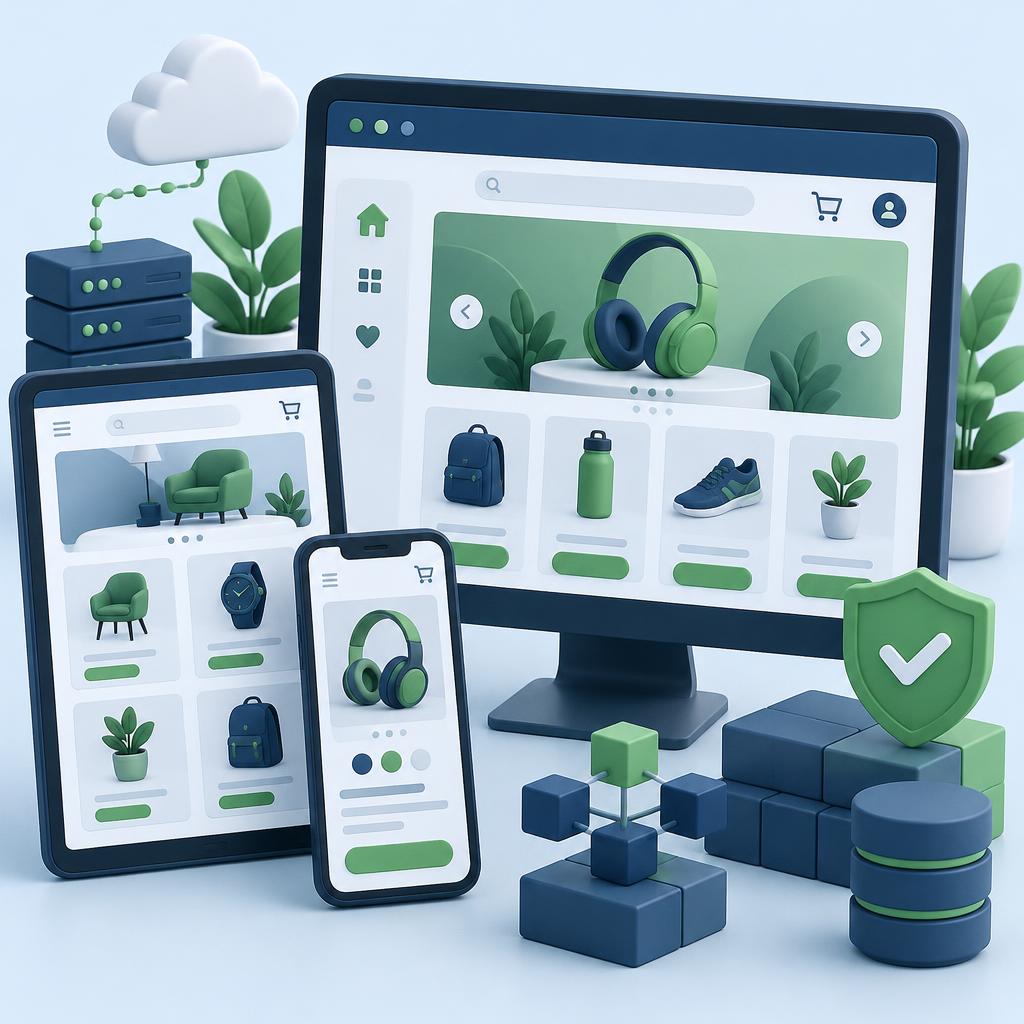
Desktop, tablet and mobile ecommerce interfaces with secure modular software architecture in I2W navy and green

Websites & web applications

From clear business pages to complex workflows.

Mobile & cross-platform apps

Choose the platform around your users’ needs.

Security & long-term ownership

Plan access, testing and handover before launch.

Before the technology

What should this project change for your business?

A slow enquiry journey, duplicated spreadsheet work and an abandoned checkout are different problems. They need different solutions. A visual redesign can improve clarity, but it will not repair a broken order workflow or an unreliable integration on its own.

We separate the visible experience from the operating requirements. Who uses the product? What information may each person see? Which system owns the data? What happens when a connection or payment fails? Answering those questions early prevents expensive surprises later.

The service areas below describe the work that can be scoped. Not every feature belongs in every project; specialist devices, regulated workflows and unusual integrations require feasibility review before a commitment.

Development services

A simple website and a complex application deserve different plans.

01

Business websites & brand-led web design

Corporate websites, professional-service sites, portfolios, campaign pages and product launches. The work starts with the buyer’s questions: what you offer, who it is for, why it is credible and what happens next. We plan the page structure, write clear navigation, design reusable layouts and connect enquiries to a destination your team can actually monitor.

Information architecture · UI/UX · mobile layouts · contact journeys · content publishing

02

Ecommerce, marketplaces & subscriptions

Online stores need more than a catalogue. Product variants, search, stock availability, shipping rules, tax configuration, coupons, refunds and order notifications must agree with one another. Marketplace builds add seller onboarding, commissions and settlement workflows. Subscription products need renewal, cancellation and failed-payment handling. Scope those rules before choosing a platform.

Shopify and WooCommerce options · custom stores · payment gateways · inventory integrations

03

CMS, publishing & multilingual websites

A content management system gives your team control over pages without asking a developer for every edit. We define editor roles, approval steps, structured fields, media handling and reusable templates. Multilingual sites also need translated navigation, language-specific URLs and correct search signals—not just a translation widget placed over the English page.

WordPress · headless CMS · editorial workflows · multilingual content · media libraries

04

Custom web applications & customer portals

Booking systems, customer dashboards, partner portals, document workflows, learning platforms and operational tools turn a process into working software. We map user roles and permissions, define the data model and make room for real conditions: incomplete records, rejected requests, duplicate submissions and interrupted connections. The admin side is part of the product, not an afterthought.

Portals · dashboards · reservations · LMS · CRM/ERP workflows · reporting

05

SaaS products & minimum viable products

For a new product, the first release should prove a useful customer journey rather than collect every possible feature. We separate launch essentials from later improvements, prototype uncertain interactions and agree what success will be measured against. Multi-tenant SaaS requires explicit tenant isolation, account provisioning, subscription rules, usage limits and administrative controls.

Discovery · prototypes · MVP scope · multi-tenancy · billing workflows · product analytics

06

Android application development

Android applications may serve customers, employees or field teams. Device variety, permission handling, unreliable networks and background restrictions affect the design. A delivery app may need location updates; a field-inspection app may need offline records and conflict resolution. We assess device access, distribution and support requirements before settling on the implementation.

Kotlin options · Android device testing · notifications · offline workflows · Play release preparation

07

iOS & iPad application development

iPhone and iPad products need platform-appropriate navigation, accessible controls and careful handling of camera, location and notification permissions. Account creation, subscriptions and privacy disclosures can affect App Store review. Release preparation includes signing, testing and store materials, but approval remains Apple’s decision and cannot be promised by a development provider.

Swift options · iPhone/iPad layouts · device integrations · TestFlight · App Store preparation

08

Cross-platform & hybrid applications

Flutter and React Native can share substantial work across Android and iOS, while hybrid approaches reuse web technology in an app shell. Shared code does not mean zero platform-specific work. Payments, background tasks, Bluetooth, accessibility and third-party SDKs may need separate testing or native modules. The right trade-off depends on features and the team that will maintain the app.

Flutter · React Native · hybrid options · shared design systems · platform-specific testing

09

Progressive web apps & offline experiences

A progressive web app can make a browser-based product installable and add selected offline capabilities. It can be a practical fit for customer portals or repeat-use workflows that do not require every native device feature. Browser and operating-system support varies; installation, notifications and background behaviour must be checked for the devices your audience uses.

Installability · caching strategy · offline states · sync handling · browser compatibility

10

Enterprise, desktop & connected-device interfaces

Internal business tools may connect ERP, CRM, identity systems, scanners, kiosks or device telemetry. Desktop applications and IoT companion interfaces can also be scoped where the workflow warrants them. Before implementation, we establish deployment environments, device protocols, authentication and who owns each integration. Regulated, safety-critical or specialist systems require a separate feasibility assessment.

Internal applications · desktop options · kiosk interfaces · device dashboards · systems integration

11

API development, integrations & automation

APIs connect the visible product to its operations: payments, inventory, logistics, identity, messaging and reporting. We specify authentication, validation, access permissions, error handling and versioning. Webhooks need verification and repeat-safe processing. Automations should have a visible failure path so an unsuccessful job does not silently disappear between two systems.

REST/GraphQL options · webhooks · CRM/ERP integrations · scheduled workflows · API documentation

12

Redesigns, migrations & ongoing maintenance

Replacing an existing website or application begins with an inventory of URLs, content, data, integrations and accounts. We plan redirects, migration checks and rollback before launch. Maintenance may include dependency updates, backups, monitoring, bug fixes and small improvements. The contract should distinguish included support from new features, rather than leaving both sides to interpret ‘maintenance’ later.

Website rebuilds · CMS migrations · URL mapping · performance improvements · support plans

Platform decisions

Choose for the next three years—not just the first demo.

Compare development approaches and their trade-offs
ApproachUsually worth considering forTrade-off to check
CMS or hosted commerceContent-heavy sites or standard store workflowsExtension quality, platform limits and recurring fees
Custom web applicationDistinct business logic, portals and SaaSBuild effort, hosting and ongoing technical ownership
Progressive web appBrowser-based repeat-use and selected offline tasksOS/browser support for each required capability
Native Android / iOSDeep device access or platform-specific experiencesSeparate platform work and release maintenance
Cross-platform mobileShared Android/iOS workflows and interface patternsNative integrations still need platform testing

Technology options may include WordPress, Shopify, WooCommerce, React, TypeScript, Flutter, React Native, Kotlin and Swift. These are choices to evaluate, not a reason to force your project into one stack. We confirm the implementation approach and required specialist resources during scoping.

Quality that can be checked

Fast, accessible and secure are test plans—not adjectives.

A project proposal should say how quality will be assessed and where the limits are. Testing does not make software risk-free, but it makes decisions visible and defects easier to find.

  • Performance: assess LCP, INP and CLS on representative pages. Good Core Web Vitals thresholds are LCP ≤2.5 seconds, INP ≤200 milliseconds and CLS ≤0.1 at the 75th percentile; field results depend on real devices and networks.
  • Accessibility: scope WCAG 2.2 checks including keyboard access, labels, focus visibility, contrast and usable error messages. Automated tools find only some problems; manual review remains necessary.
  • Security: validate inputs on the server, enforce record-level permissions, keep secrets out of public code and verify payment notifications before fulfilment.
  • Reliability: test backups and restoration, record integration failures and define deployment rollback. A backup that has never been restored is an assumption, not evidence.

Search & discoverability

SEO starts with a useful answer and a page people can reach.

Public pages need a clear topic, crawlable content, meaningful headings and page-specific metadata. A rebuild also needs URL mapping and redirects so existing links do not lead visitors to dead ends. Structured data should describe what the page actually contains.

Google’s guidance on AI-generated content focuses on accuracy, originality and value. Publishing large volumes of thin pages to manipulate rankings can violate spam policies regardless of who or what wrote them. An AI-detector score is not a Google ranking requirement.

We prioritise service explanations, decision guides and honest answers over repetitive keywords. After launch, Search Console and analytics can show indexing, queries and customer journeys. No development or content provider can responsibly promise first place within a few months.

From brief to handover

Six stages. Clear decisions at each one.

  1. 01

    Define the real job

    Bring the current website, a workflow, or a plain-language brief. We identify users, business objectives, required integrations and constraints. Discovery should produce a written scope with assumptions and exclusions—not just a list of technologies.

  2. 02

    Design before building

    Information architecture, user journeys, wireframes and key screen designs make the product understandable before implementation. We review empty, loading, success and failure states alongside the ideal journey. A prototype helps test risky decisions early.

  3. 03

    Build in reviewable stages

    Development is organised around agreed milestones, with working demonstrations rather than a single reveal at the end. Content, integrations and administration are developed alongside the customer-facing experience. Changes are recorded so their impact on budget and delivery is visible.

  4. 04

    Test the business rules

    Functional tests cover the actual rules: who may access a record, what an order costs and what happens when a payment fails. Browser/device checks, accessibility review, performance testing and security testing are scoped explicitly. A staging environment lets your team complete acceptance testing.

  5. 05

    Launch with a recovery plan

    We confirm domain and hosting access, backups, redirects, analytics and essential transactions before release. Apps also need signing and store preparation. A deployment checklist and rollback plan reduce the risk of a last-minute launch becoming an uncontrolled experiment.

  6. 06

    Hand over and improve

    Your team needs accounts, documentation and training—not just a public URL. After launch, review real visitor behaviour, errors and business outcomes. Ongoing maintenance and new development are agreed separately, with clear ownership of each task.

Scope & pricing

What makes one project cost more than another?

The important variable is usually the number and complexity of workflows, not the number of screens. Ten screens that display content may be simpler than one screen that calculates a booking, checks stock and collects payment.

Design depth, supplied content, data migration, user roles, integrations, offline support and testing all affect effort. Hosting, paid extensions, payment processing, messaging, licences and store accounts may create recurring costs. Compare proposals against the same scope, not the headline total.

Bring examples you like, but also bring the rules they do not show: returns, cancellations, approval steps, permissions and reporting. Those details are often where the real development work sits.

Handover checklist

Know what you receive before you sign.

  • Written scope, acceptance criteria and documented exclusions
  • Approved designs and agreed reusable interface patterns
  • Source code and repository access under the contract’s ownership terms
  • Access to business-owned domain, hosting and store accounts
  • Integration notes, environment configuration and deployment instructions
  • Test findings, remaining limitations and launch checklist
  • Editor or administrator training and operating documentation
  • Defined support terms, backup responsibilities and change-request process

Project questions

The questions worth asking before development begins.

Your next step

Tell us what you want people to do—not just what you want to build.

Share your current website or app, the users it serves, the problem to solve and any target date. If you have a budget range or required integrations, include those too. That gives us a useful starting point for a scoped conversation.